


Lesson
2

Setting Up Quotas in User Interviews


Course Creators:
Last Updated:
May 7, 2026
Quotas are set up as part of your project design, so you can define your target mix before recruitment begins or at any point after project launch.
In this lesson of our Quotas & Participant Targeting with User Interviews course, you’ll learn:
- Where to set up quotas in your project
- How to define targets and conditions
- Best practices for creating effective quotas
📹 Prefer watching to reading? This content is available as both an article and a video. Watch our Senior Product Manager, Claire Mai, take you through the content in the video below or keep reading to dive in!
Where to set up quotas in your project
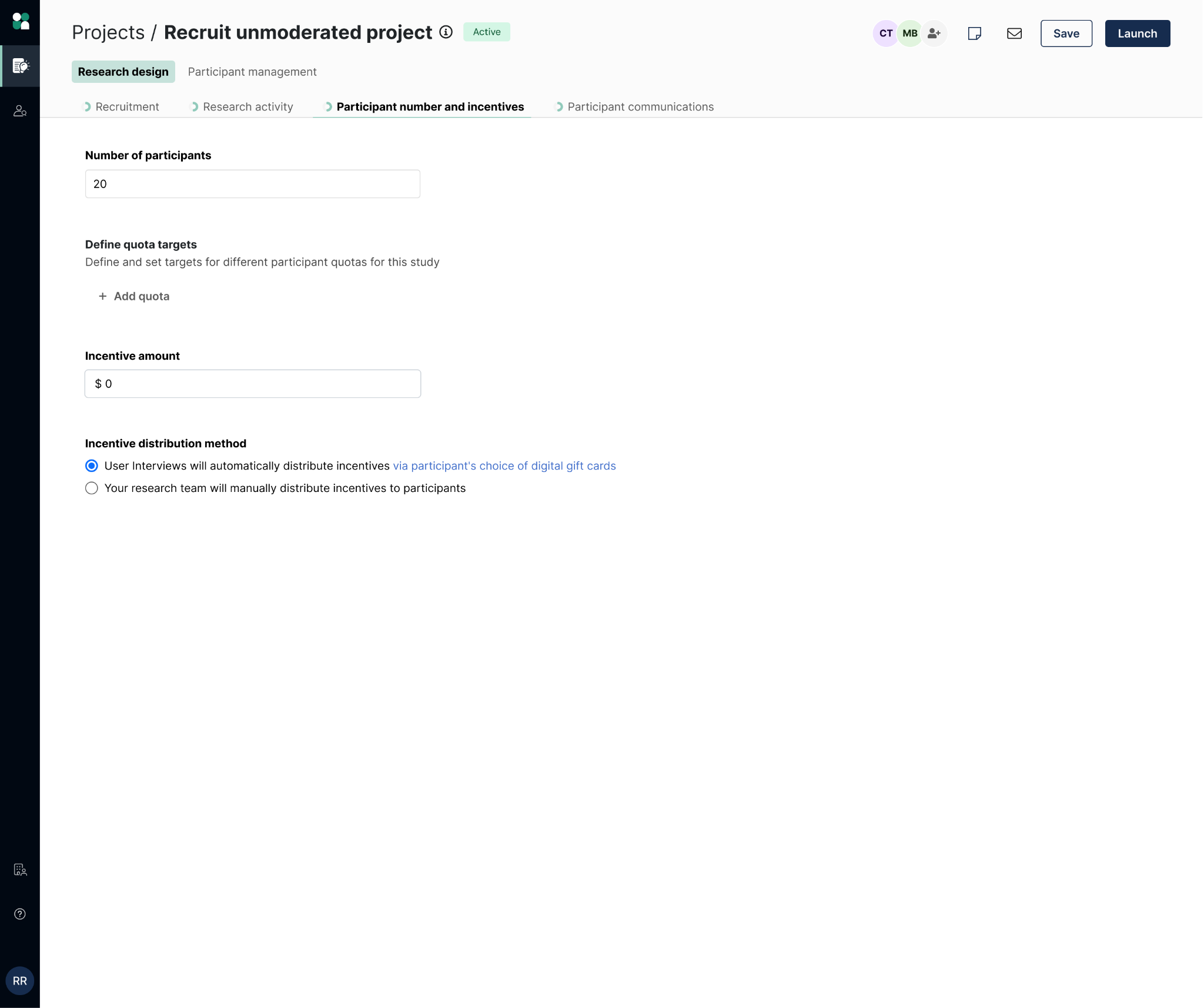
To create a quota in User Interviews:
- Navigate to Research Design in your project builder.
- Open the Participant number & incentives tab.
- Scroll to Define quota targets.
- Click Add quota.
How to define quota targets and conditions
Each quota includes three main components:
- Quota name: This label will appear throughout your project—especially in filters—so use something clear and descriptive (e.g., “iOS Users” or “New Customers”).
- Participant target: You can define your target as a fixed number of participants or a percentage of your total sample. Note that participants can qualify for more than one quota at the same time.
- Quota conditions: These determine which participants belong in the quota. You can define conditions using recruit characteristics (e.g., demographics, device), screener question responses, or tags. You can also combine multiple conditions to define a group more precisely. Note: Some Recruit attributes (such as job title or industry) are not currently supported for quotas.

Some best practices to keep in mind as you set your quotas:
- Keep quotas simple and easy to interpret
- Use naming conventions that match how you’ll filter later
- Avoid overly complex or overlapping logic
- Align quotas directly with your research goals
If you expect to update your screener, avoid building quotas that rely heavily on screener questions—you may need to adjust your setup later.


Next lesson
Tracking & Managing Quotas
Understand how quotas update in real time and how to monitor progress as participants move through your study.
in 2 lessons
Filtering & Managing Your Recruitment Pipeline
Use quotas to guide approvals, prioritize underfilled segments, and make smarter recruitment decisions.