


Best Practices for Effective Quotas


Strong quotas make recruitment smoother and more predictable, so it’s important to follow best practices. In this lesson of our Quotas & Participant Targeting with User Interviews course, you’ll learn:
- How to design clear quotas
- How to avoid common mistakes
- How to scale your approach
📹 Prefer watching to reading? This content is available as both an article and a video. Watch our Senior Product Manager, Claire Mai, take you through the content in the video below or keep reading to dive in!
How to design clear quotas
Best practices for designing clear quotas include:
- Using clear, descriptive names.
- Keeping logic simple and easy to understand at a glance.
- Avoiding unnecessary overlap.
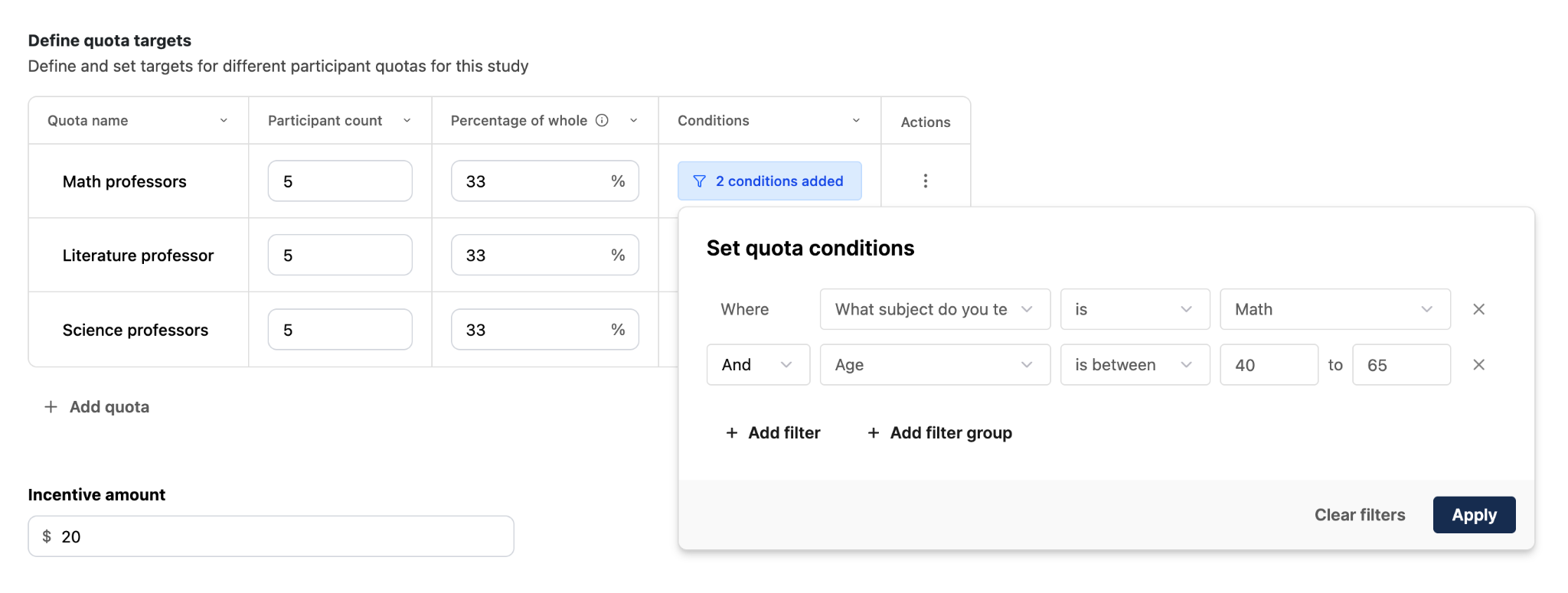
Example of a good quota: Clear, simple, and distinct
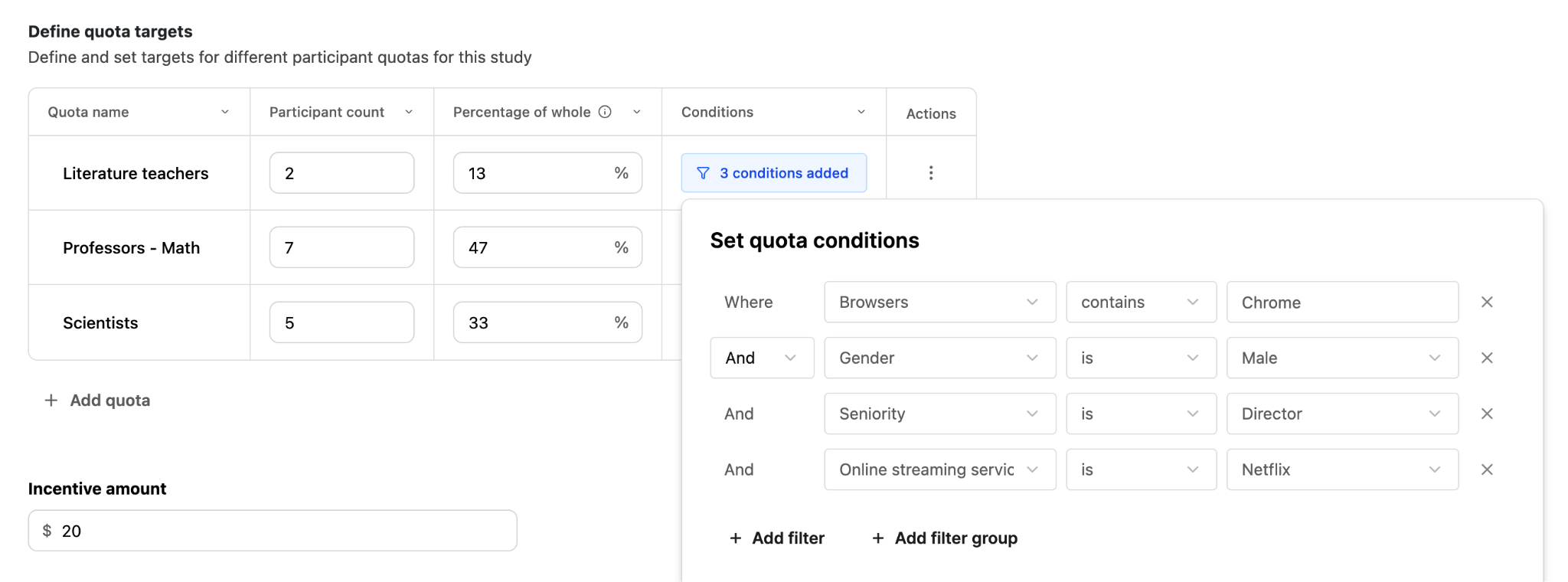
Example of a bad quota: Overly complicated and unclear
How to avoid common mistakes
Some common mistakes people make when designing quotas include:
- Expecting quotas to affect invites or filter incoming applicants: Quotas do NOT affect invites or filter incoming applicants.
- Misinterpreting quota targets: Quotas act as an enforced maximum specifically when quota automations are enabled. Otherwise, they’re a flexible target number, and you can decide if you want to think of them as a minimum that you want to hit or a maximum that you don't want to exceed.
- Overcomplicating segmentation: Keep it simple to avoid confusion.
How to scale your approach
To scale your use of quota automations in User Interviews:
- Start with quota tracking only
- Introduce automations once your workflow is stable
- Use quotas alongside filters as part of your broader recruitment strategy
Key course takeaways
- Quotas update in real time as participants move through your project.
- Participants can belong to multiple quotas at once.
- Quota automations enforce a maximum—not a minimum.
- Quotas do not impact who receives invites.
- Waitlisted participants are automatically re-engaged when spots open.
- Well-designed quotas mean you spend less time balancing your sample and more time on the research itself.
Congratulations on completing the Quotas & Participant Targeting with User Interviews course! You’re now equipped with the knowledge and tools to confidently build and manage quotas using User Interviews. Be sure to download the slides or take the course quiz to review your knowledge below.

